IPTV Ireland searches have grown for a simple reason: more Irish homes now have broadband good enough to carry their television. If you are new to the idea, this guide explains what IPTV is, what you need at home, what it costs and how to avoid the common mistakes, in plain language.
IPTV Ireland in Brief
- IPTV Ireland means television delivered over your broadband instead of a dish or cable.
- You need three things: a steady connection, a device with apps and a subscription.
- Around 10 Mbps is comfortable for HD on one screen.
- Longer plans cost less per month. Our 12-month plan works out at about €4.17 a month.
- If you are unsure, test with a single month before you choose a longer plan.
What IPTV Ireland Actually Means
IPTV stands for Internet Protocol Television. It is television delivered over an internet connection instead of through a satellite dish, an aerial or a cable. When people in this country search for IPTV Ireland, they usually want a service that works well on Irish broadband and can be set up without an engineer.
The idea is not exotic. If you have ever watched a programme on a player app or streamed a film on a Friday night, you have already used television over the internet. An IPTV service simply brings live channels and on-demand titles together in one app.
How IPTV Works in an Irish Home
There are three parts to it:
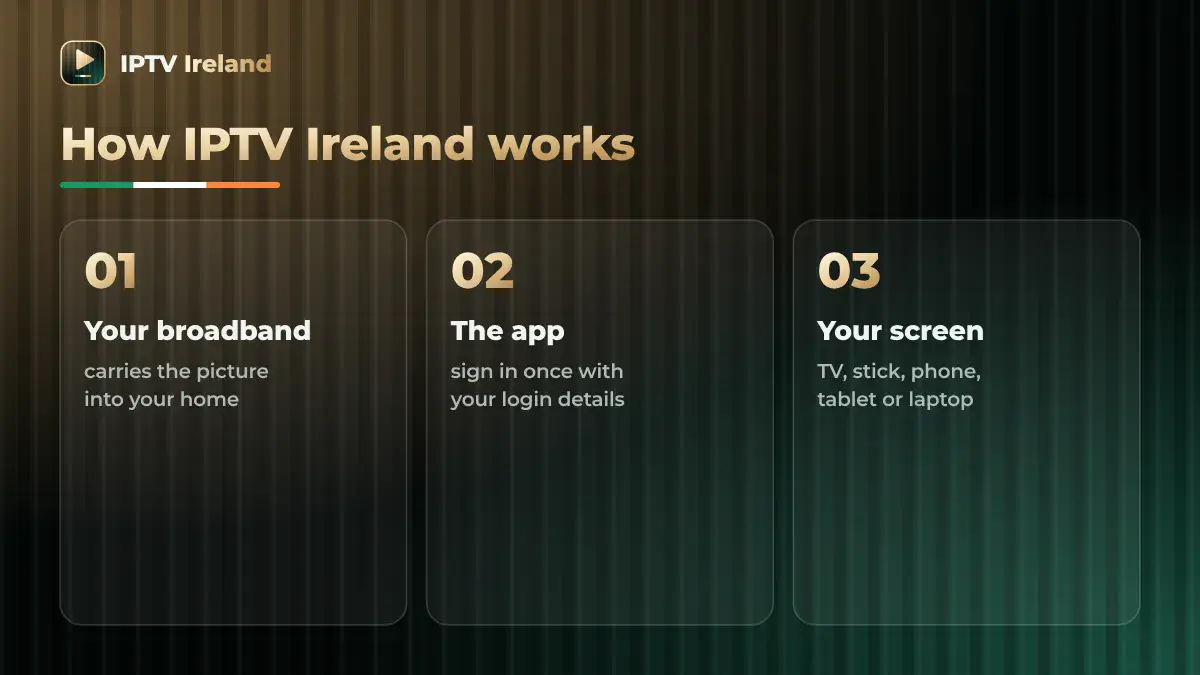
- Your broadband carries the picture into the house.
- An app on your device signs in with the login details your provider gives you.
- Your screen shows it: a Smart TV, a streaming stick, a phone, a tablet or a laptop.
Nothing is fixed to the wall and nobody needs to call to the house. That is the main practical difference from a dish or a cable package.
What You Need Before You Start
Getting started with IPTV Ireland takes three things.

A steady broadband connection
Stability matters more than a big headline speed. As a rough guide, a steady 10 Mbps is comfortable for HD viewing on one screen. Allow more if the rest of the house is gaming, on video calls or streaming at the same time.
If you are on fibre in a town or city, you are unlikely to have any trouble. On rural or mobile broadband, test your connection in the evening, when the network is busiest, before you commit to a long plan.
A compatible device
Most homes already own one. A Fire TV Stick, a Smart TV, an Android phone or TV box, an iPhone, an iPad or a computer will all do the job. If your television is an older model with no apps, a plug-in streaming stick usually solves it for the price of a takeaway.
A subscription
You pay a provider for access for a set length of time. At IPTV Ireland the plans run for 1, 3, 6 or 12 months, and you can compare them on our IPTV subscription page.
Getting the Best Picture From Your Broadband
Most complaints about buffering come from the home network, not from the service. A few small changes make a real difference:
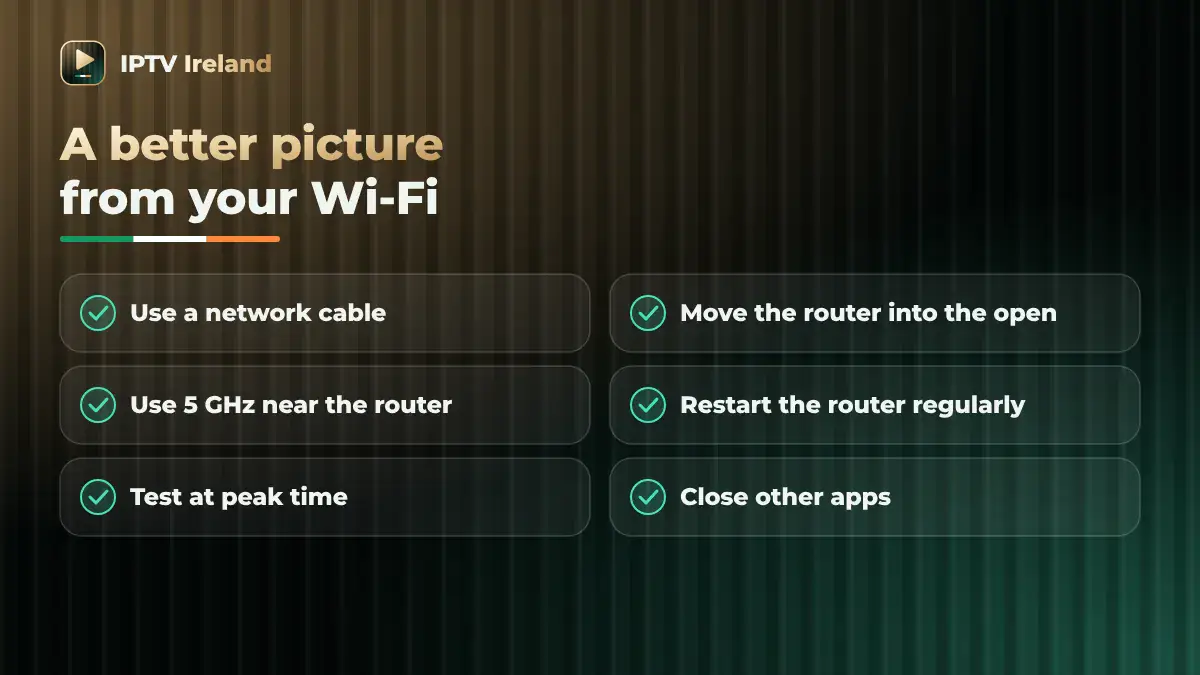
- Use a network cable between the router and the TV or stick if you can. It is the single biggest improvement.
- Move the router out of the press or from behind the telly. Wi-Fi hates walls, especially the thick ones in older Irish houses.
- Use the 5 GHz Wi-Fi band when the TV is in the same room as the router.
- Restart the router now and then. It sounds too simple, and it works.
If you are unsure what your line can do, the communications regulator ComReg publishes independent information on broadband in Ireland.
What Does IPTV Ireland Cost?
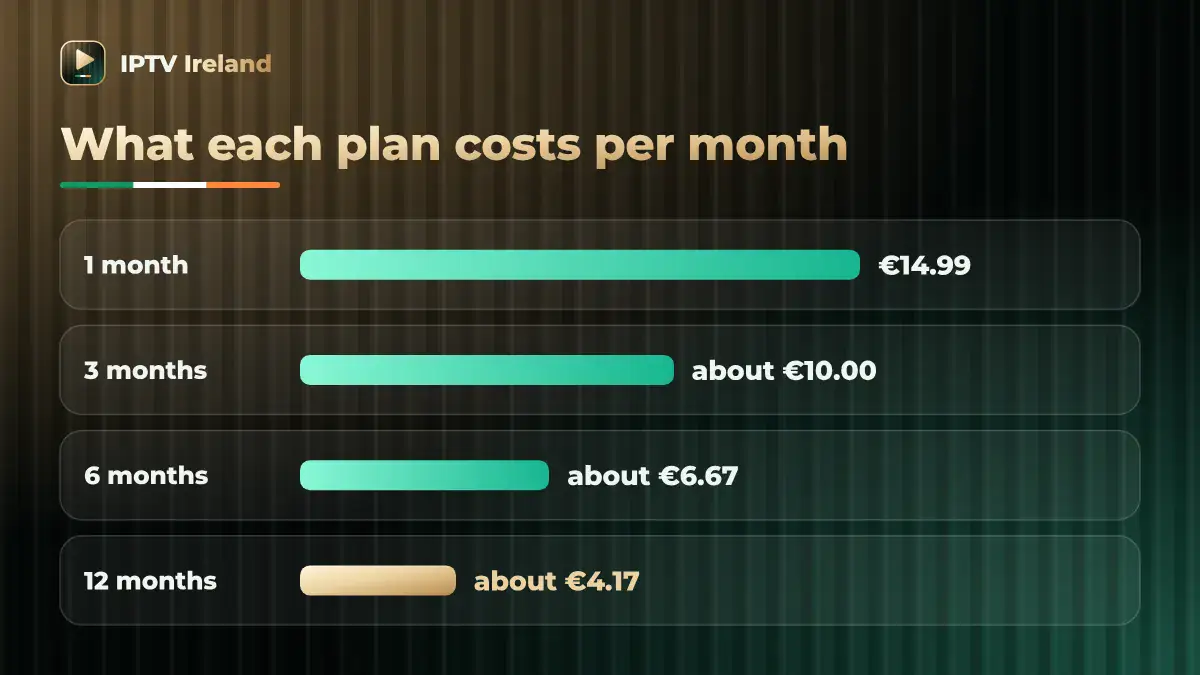
Prices vary between providers, so always look at the total for the term, not only the monthly figure. To give you a real example, these are our own prices:
| Plan | Total price | Works out at |
|---|---|---|
| 1 month | €14.99 | €14.99 a month |
| 3 months | €29.99 | About €10 a month |
| 6 months | €39.99 | About €6.67 a month |
| 12 months | €49.99 | About €4.17 a month |
The pattern is the same almost everywhere: the longer the plan, the less each month costs. Our guide to how an IPTV subscription works goes through the sums in more detail.
Do You Still Need a TV Licence?
Yes. In Ireland, any address with a television set needs a TV licence, however you watch. Switching from a dish to the internet does not change that. You can check the rules on tvlicence.ie.
Five Mistakes IPTV Ireland Beginners Make
- Buying a long plan before testing the broadband. Check your connection at peak time first.
- Judging by a big number on a homepage. What matters is whether the service runs smoothly in your sitting room.
- Ignoring support. Find out who answers when something stops working, and how fast.
- Forgetting about streams. Many subscriptions play on one screen at a time. Ask before you assume the whole house can watch different things together.
- Not reading the terms. Renewal and refunds differ from one provider to the next. Ours are in our terms and conditions.
If you are comparing services, our checklist of questions to ask IPTV providers will help.
Setting Up IPTV Ireland on Each Device
The steps are almost the same everywhere: install the app your provider recommends, open it, type in your login details once and you are in. These notes cover the devices Irish homes use most.
Fire TV Stick
Plug the stick into a spare HDMI port, connect it to your Wi-Fi and install the app from the stick’s own app store. Keep the stick’s software up to date, and use the extension lead in the box if the stick sits tight behind the TV, because it improves the Wi-Fi signal.
Smart TV
Open the app store on the TV, install the app and sign in. If your TV is more than a few years old and feels slow, a streaming stick is usually faster than the TV’s built-in apps.
Android phones, tablets and TV boxes
Install the app from the Google Play Store and sign in. On a TV box, connect a network cable if the box has a port for one.
iPhone and iPad
Install the app from the App Store and sign in. Handy for the kitchen, the bedroom or the garden on a good evening.
Windows and Mac
A laptop or desktop works well as a second screen. Sign in, and connect the computer to the TV with an HDMI cable if you want a bigger picture.
If you get stuck on any device, IPTV Ireland support will walk you through it on WhatsApp.
How Much Data Does IPTV Ireland Use?
Streaming uses data, which matters if your broadband has a monthly cap. As a rough guide, an hour of HD viewing uses somewhere between 1.5 and 3 GB, depending on the picture quality.
- Unlimited fibre or cable broadband: nothing to think about.
- Mobile or capped broadband: two hours a night can add up to well over 100 GB a month, so check your allowance.
- Phone hotspot: fine for a match while you are away, expensive as an everyday set-up.
IPTV Ireland Compared With a Dish or Cable
The programmes on screen can look the same. What changes is everything around them.
| IPTV | Dish or cable | |
|---|---|---|
| Installation | None. You sign in to an app. | Usually an engineer visit. |
| Equipment | The devices you already own. | A dish or a set-top box. |
| Where you watch | Any screen with the app. | The TV the box is connected to. |
| Depends on | Your broadband. | The dish, the cable and the weather. |
| Moving house | Bring your login with you. | A new installation. |
The trade-off is simple. IPTV gives you flexibility and asks for decent broadband in return.
Which Irish Broadband Types Suit IPTV Ireland?
The kind of connection you have matters more than the speed printed on the advert. Here is how the common types behave with IPTV Ireland.
Full fibre
Fibre that runs all the way into the house is the best case. Speeds are high and, more importantly, steady at busy times.
Part fibre
Fibre runs to a cabinet on the road and a copper line covers the last stretch. It is fine for HD streaming in most homes, though speed drops the further you live from the cabinet.
Cable broadband
Fast and widely available in towns and cities. It handles streaming on several devices without trouble.
Fixed wireless
Common in rural areas, where a small antenna on the house picks up a signal from a local mast. Results vary with distance and weather, so test in the evening.
Mobile broadband
A 4G or 5G router can work well where coverage is strong. Check the data allowance, because streaming uses it quickly.
Satellite broadband
An option where nothing else reaches. Newer services stream comfortably, while older ones can have a delay and tight data limits.
Not sure which type you have? Your bill or your provider’s app will tell you.
Your First Evening With IPTV Ireland
Knowing what to expect makes the first night easier. A typical start looks like this:
- Sign in on your main TV. Have your login details open on your phone so that you can copy them carefully.
- Give the app a minute. The first load takes longer than later ones, because the app is fetching the programme guide.
- Find your way around. Look for the live section, the on-demand section and the search.
- Save your favourites. Most apps let you mark the things you watch often, so you can reach them in two clicks.
- Watch for half an hour. If the picture is smooth, you are set. If not, try the quick fixes below before anything else.
Then add a second device the next day, once the first is working the way you want.
Looking After Your Login
Your login is the key to your subscription, so treat it like any other password.
- Keep it to your household. Sharing it widely can cause your stream to stop when someone else starts watching.
- Store it somewhere safe. A password manager or a note on your phone beats a scrap of paper.
- Only type it into the app your provider told you to use.
- Tell support if you think somebody else has it. They can sort it out.
Used sensibly, one IPTV Ireland login will serve every screen you own.
Using IPTV Ireland Away From Home
Because the service lives in an app, it is not tied to your living room. A streaming stick fits in a coat pocket, and a phone or tablet already has everything it needs.
Two things to check before you rely on it. First, the connection where you are going: hotel and guest Wi-Fi is often slow in the evening. Second, your mobile data allowance, if that is what you plan to use. If you are travelling outside the country, ask support beforehand what to expect.
Troubleshooting IPTV Ireland: Quick Fixes
The picture keeps buffering
Restart the router and the device first. Then test with a network cable. If the cable fixes it, the problem is your Wi-Fi, not the service.
The app will not open
Close it fully and open it again. If that fails, restart the device and check that the app is up to date.
My login is not accepted
Check for a space at the end of the username or password, and for capital letters. If it still fails, send your provider a screenshot.
Sound and picture are out of step
Change channel and change back. If it continues, restart the app.
When you contact support, say what device you use, what you see on screen and what time it happened. With those three details, most problems are solved in one conversation.
A Short Glossary of IPTV Terms
A few words come up again and again. Here is what they mean in plain English.
- IPTV: television delivered over an internet connection.
- Stream: one programme playing on one screen.
- Buffering: the pause while the picture waits for more data to arrive.
- Mbps: megabits per second, the usual measure of broadband speed.
- HD: high definition, the picture quality most people watch in.
- On demand: films and series you start whenever you like, instead of at a set time.
- Programme guide: the on-screen list of what is on now and next.
- App: the program on your TV, stick or phone that plays the service.
- Login details: the username and password your provider sends you.
- Peak time: the evening hours when most homes are online at once.
Is IPTV Ireland Right for You? A Quick Self-Check
Answer these five questions honestly before you spend anything on IPTV Ireland or any similar service.
- Can you already stream a film at home in the evening without it stopping?
- Do you own a Smart TV, a streaming stick or another device with apps?
- Are you comfortable installing an app and typing in a username and password?
- Is one screen at a time enough for your household?
- Would you rather pay once for a fixed term than sign a long contract?
Four or five yeses, and IPTV Ireland is very likely a good fit. Two or fewer, and it is worth sorting out your broadband or your device first.
Keeping Your Set-Up Running Smoothly
A few small habits keep IPTV Ireland running well and prevent most problems:
- Update the app when your device offers a new version.
- Restart the router every couple of weeks.
- Close other apps on a streaming stick before a big match.
- Keep the stick cool by giving it some air behind the TV.
- Know when your term ends and put a reminder in your phone a week before.
IPTV Ireland FAQ for Beginners
Is IPTV legal in Ireland?
IPTV is a way of delivering television, and mainstream broadcasters use it every day. What matters legally is whether a provider holds the rights to the content it distributes.
Will IPTV Ireland work on rural broadband?
It can, if the connection is steady. Test your line in the evening, and start with a 1-month plan so that you can judge it on your own set-up.
Do I need a new television?
No. Any TV with an HDMI port works once you plug in a streaming stick.
Can the whole family watch at once?
A single subscription plays on one screen at a time. If two people want to watch different things together, ask your provider about your options.
How long does set-up take?
Once you have your login details, signing in takes a few minutes on most devices.
What is the cheapest way to try IPTV Ireland?
Our 1-month plan costs €14.99 and includes the full service, so it is a low-cost way to test everything before you choose a longer plan.
Do I need to be technical to use IPTV Ireland?
No. If you can install an app on your phone, you can set this up. And if you would rather not do it alone, support will guide you step by step.
Is IPTV the same as a streaming app?
It works in a similar way. The difference is that an IPTV service brings live channels and on-demand titles together, where most streaming apps offer on-demand only.
How to Get Started With IPTV Ireland
Starting takes one WhatsApp chat. Pick a plan, send us a message, and we send your login details with set-up instructions for your device. If you would like to talk it through first, contact us and ask anything.
You can read more about the service on the IPTV Ireland home page.